
Registration and Account Management
- Each client gets one production account from which they can:
- View current API subscriptions.
- Create and update API tokens.
- Access data through the website test forms.
- View API usage details.
- We recommended using a generic distribution email as the username that can be accessed across your company (i.e. info@company.com).
- Login to view your account.
Authenticating API Calls
- All requests are authenticated using a token, which can be maintained within My Account
- The number of tokens for an account is unlimited, and the user has full control of API token management from their account.
- Tokens are a randomly generated alphanumeric value and can be static or encrypted for additional security.
- Only if your agreement includes calling our APIs directly from your end devices (users) do you need to. implement encrypted tokens.
- Certain services such as streaming require encrypted tokens.
- The website test form automatically inserts an encrypted token with automatic expiration for enhanced security.
Licensing and Exchange Agreements
- Due to vendor restrictions, additional licensing may be required for certain exchanges or datasets. You will not be able to access licensable data until you have the appropriate entitlements in place under your account.
- You will get Outcome = “Registration Error” if you do not have the appropriate license in place to access the data. The Message field provides additional information on what entitlements are required.
- For the exchange agreements required for the services returning a “Registration Error”, please reach out to your Account Manager, or support@quodd.com and we will work with our Sr. Compliance Manager to connect your firm to the appropriate exchanges.
API Catalog
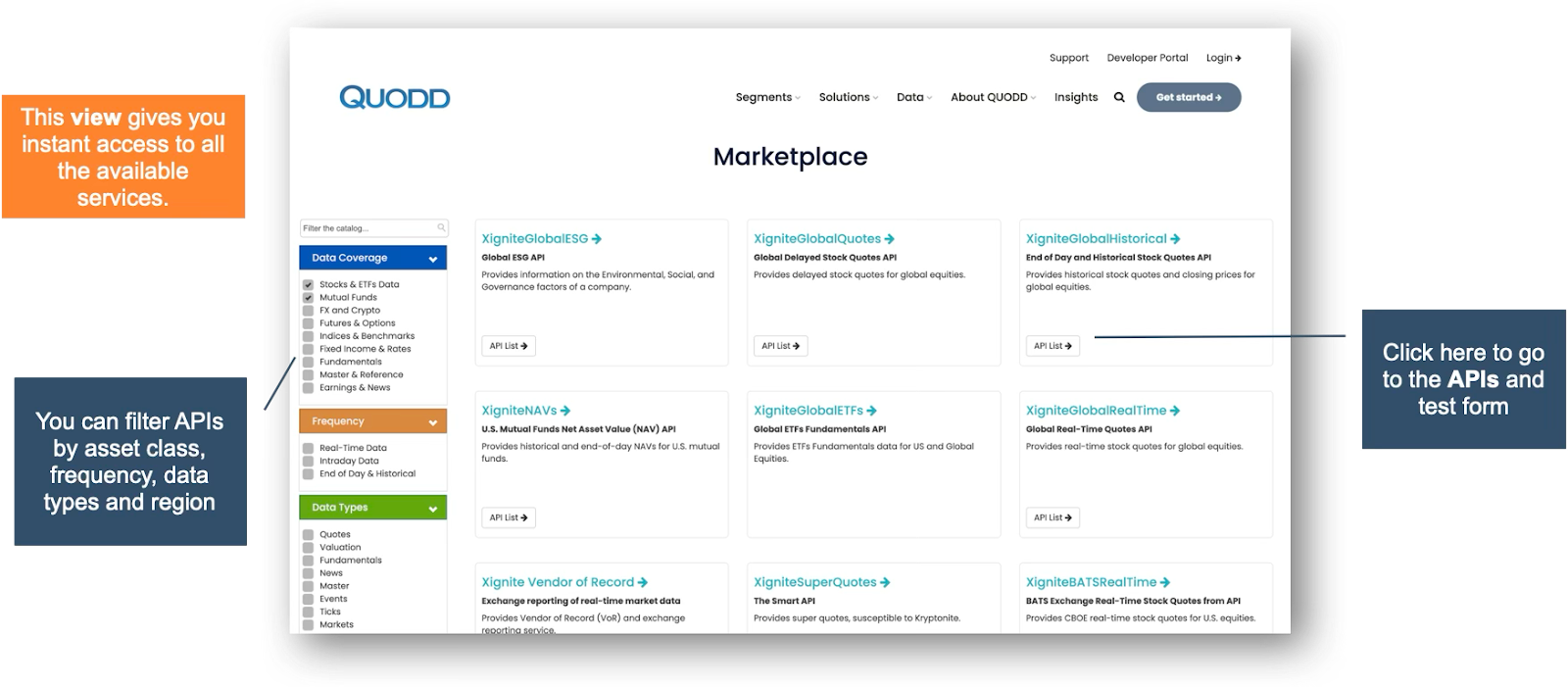
Service Page
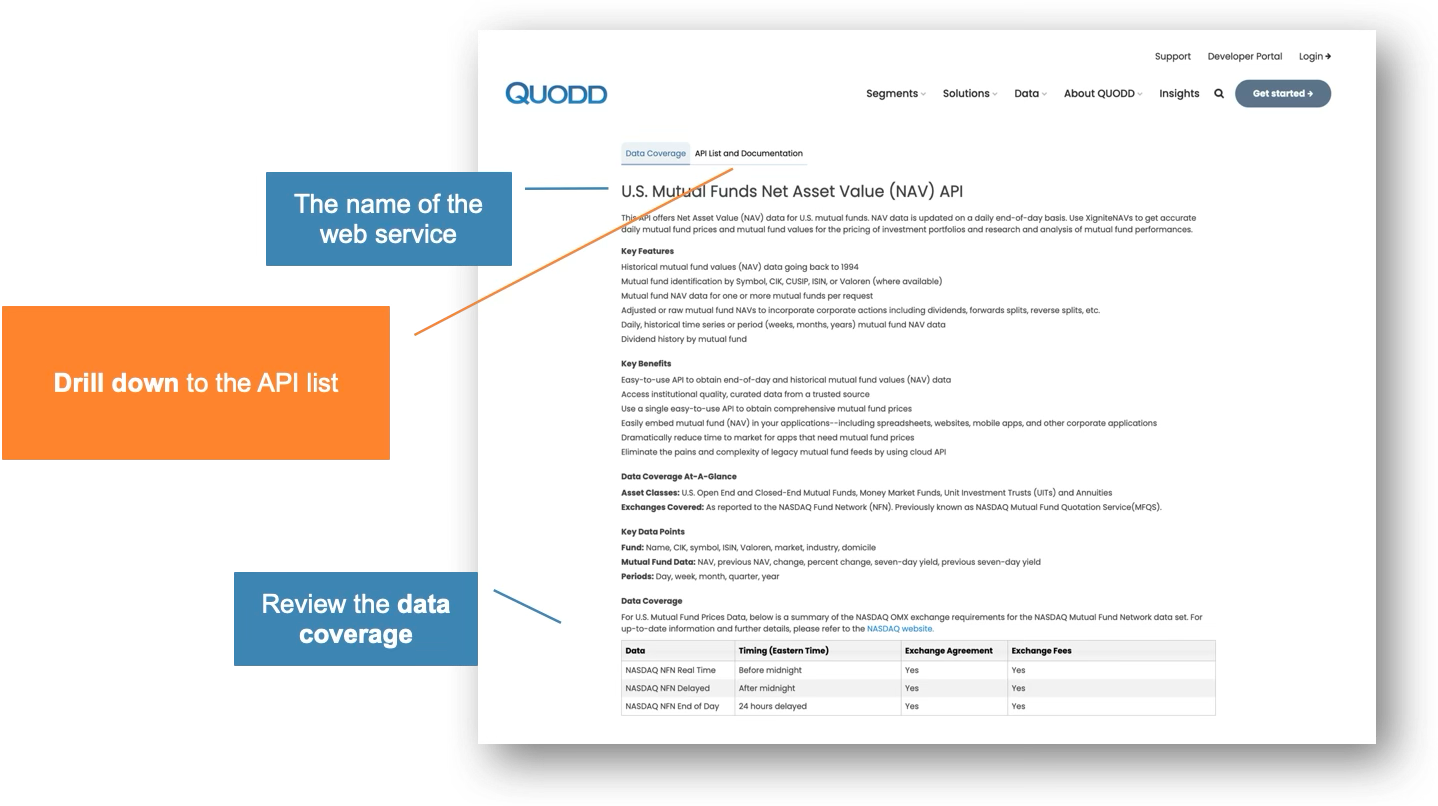
API List
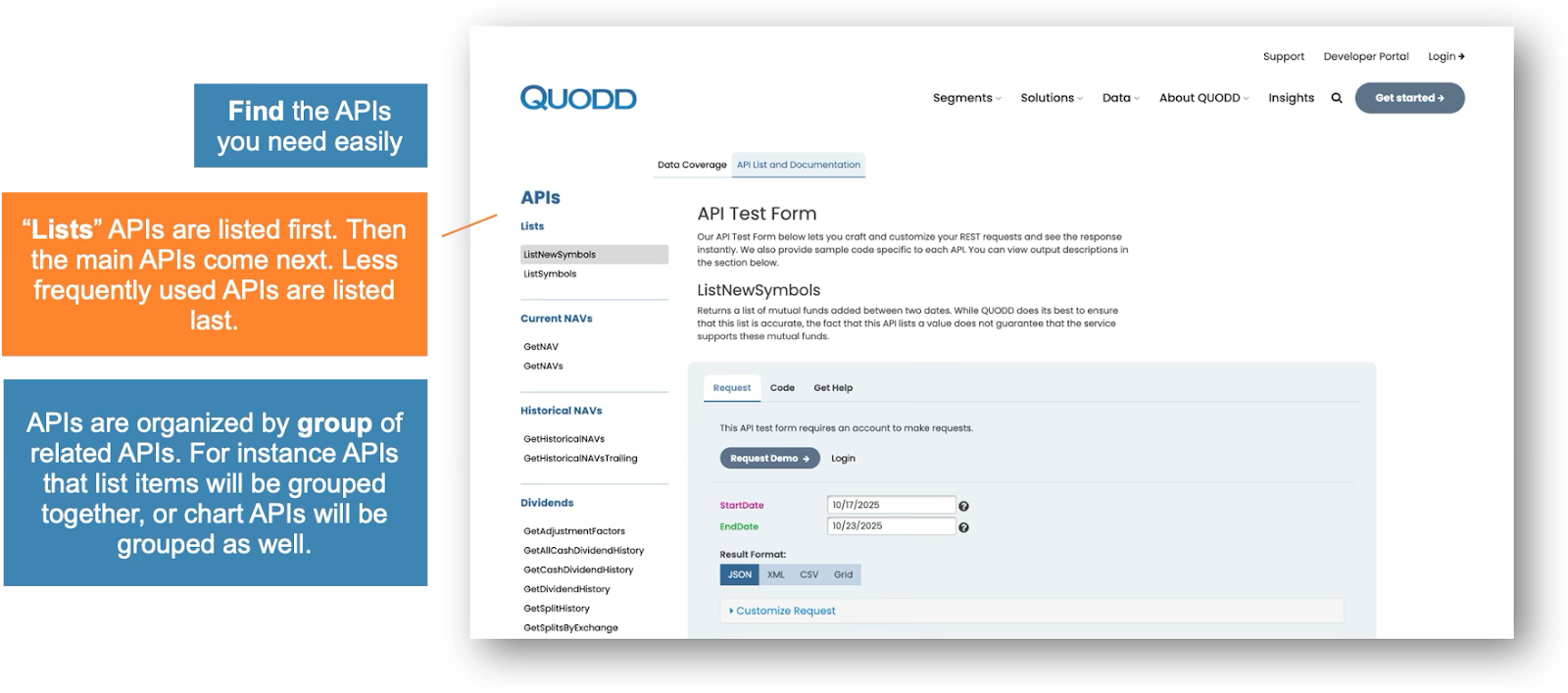
API Page
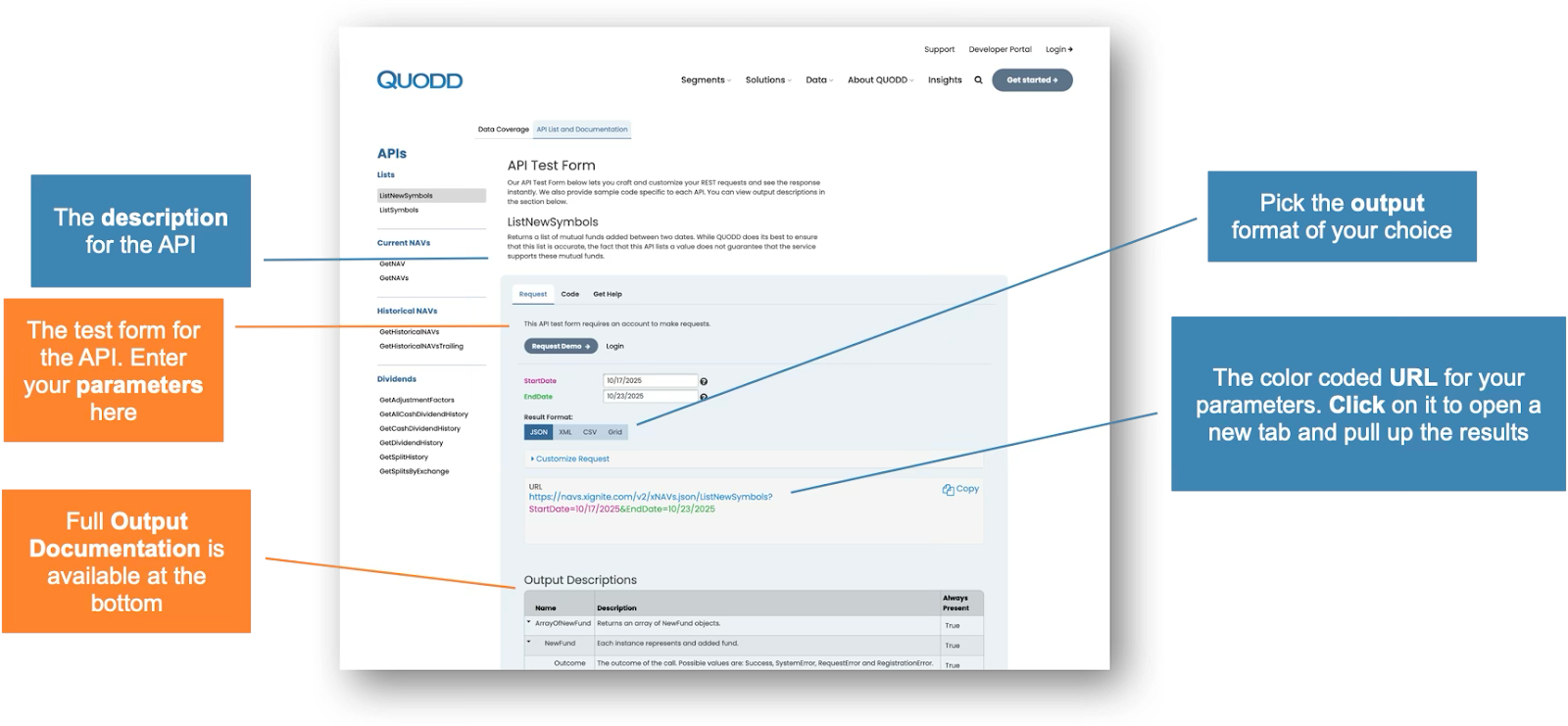
Using the Test Form
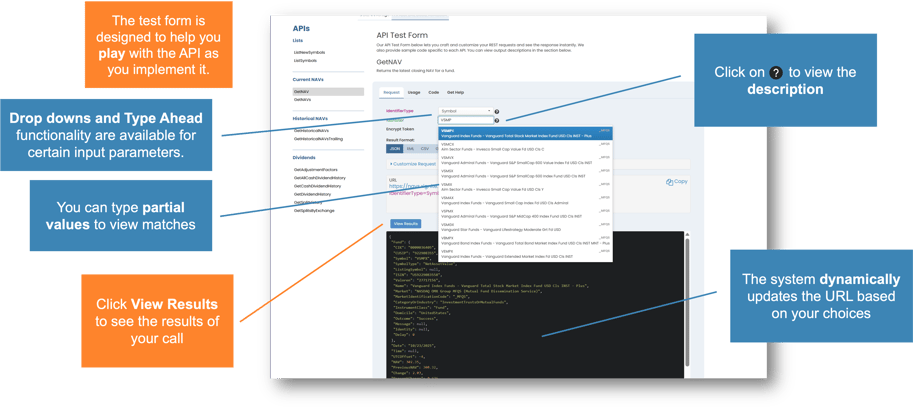
Choosing your Output Format
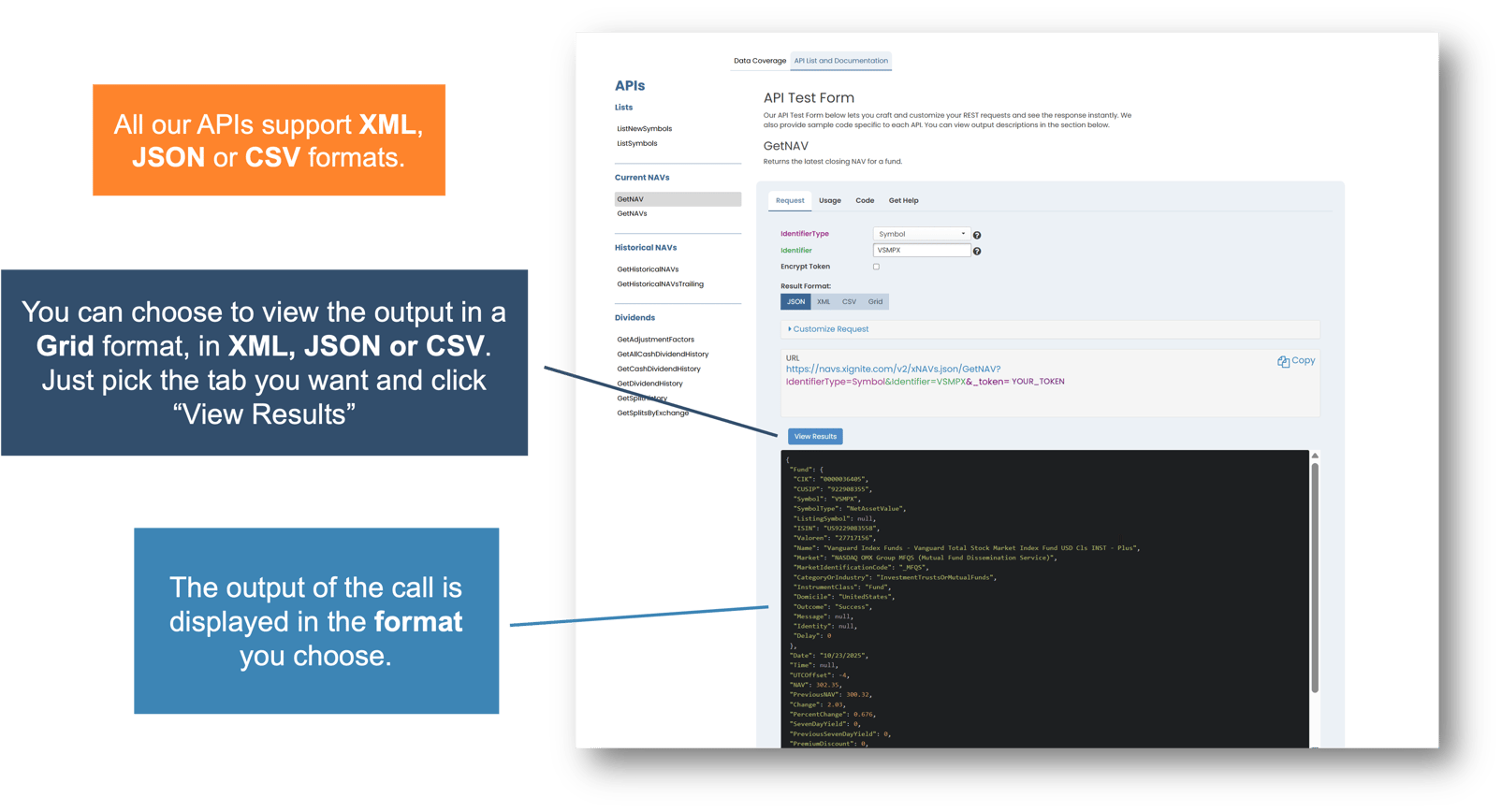
Accessing Documentation

Sample Code and Guideline
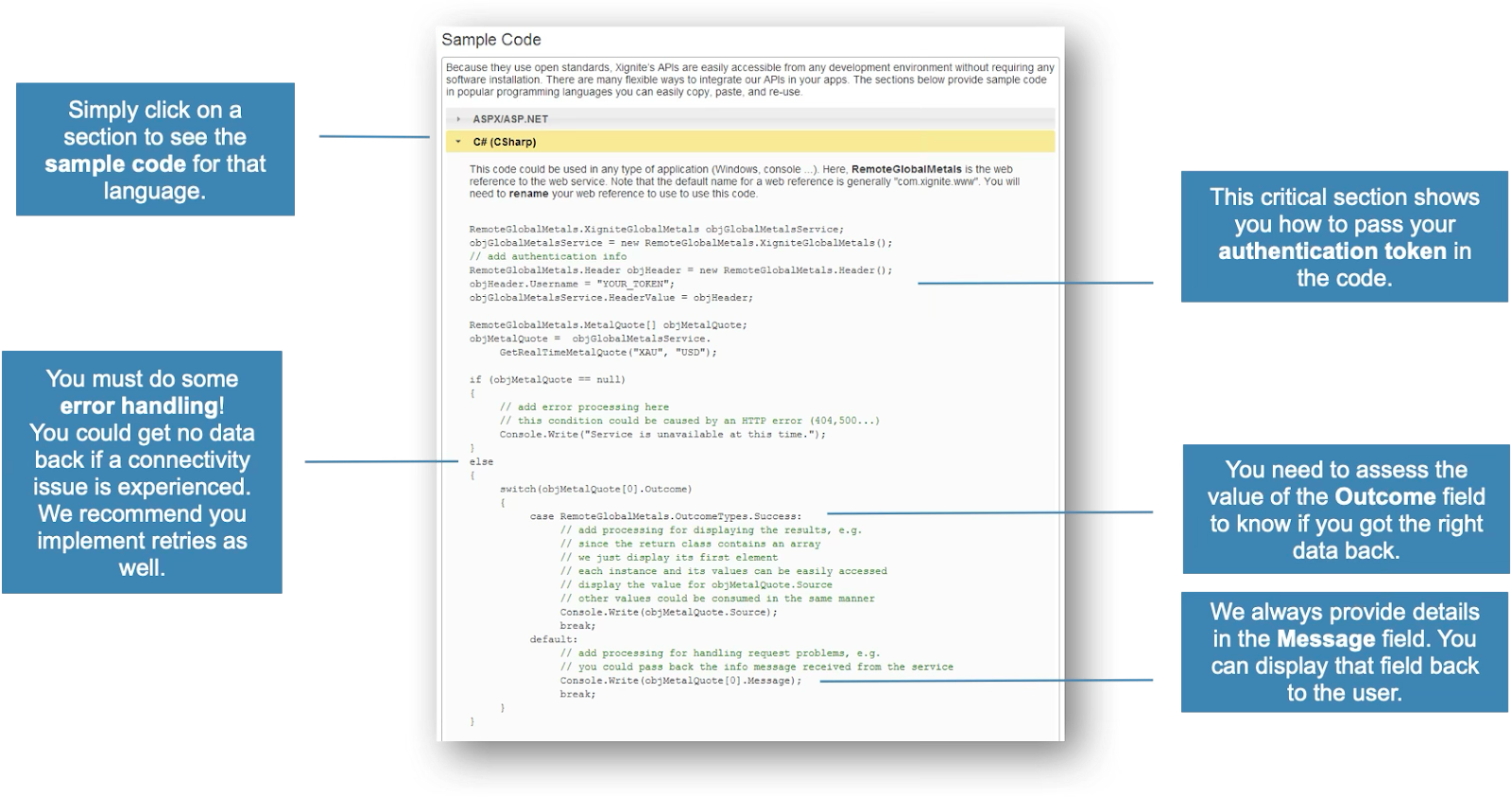
Standard Output Values
- APIs will return an HTTP status of 200 under all normal operating conditions. Other outcome codes:
- 400 - Bad Request
- 500 - Internal Server Error
- 401 - Not Authorized
- Outcome - This field describes the outcome of the method.
- Success - The outcome was successful.
- System Error - Timeout or server side error.
- Request Error - Unrecognized identifier, or data unavailable.
- Registration Error - Unable to authenticate your request because of a bad token or expired subscription.
- Message - Short message providing additional details on the Outcome.
- Identity - Describes how the call was authenticated. Possible values are: IP, Cookie, Header and Request.
- Delay - This field reports the time it took for the server to complete a request, in a decimal format measured in seconds. This does not take into account any latency experienced by the caller.
Integration Best Practices
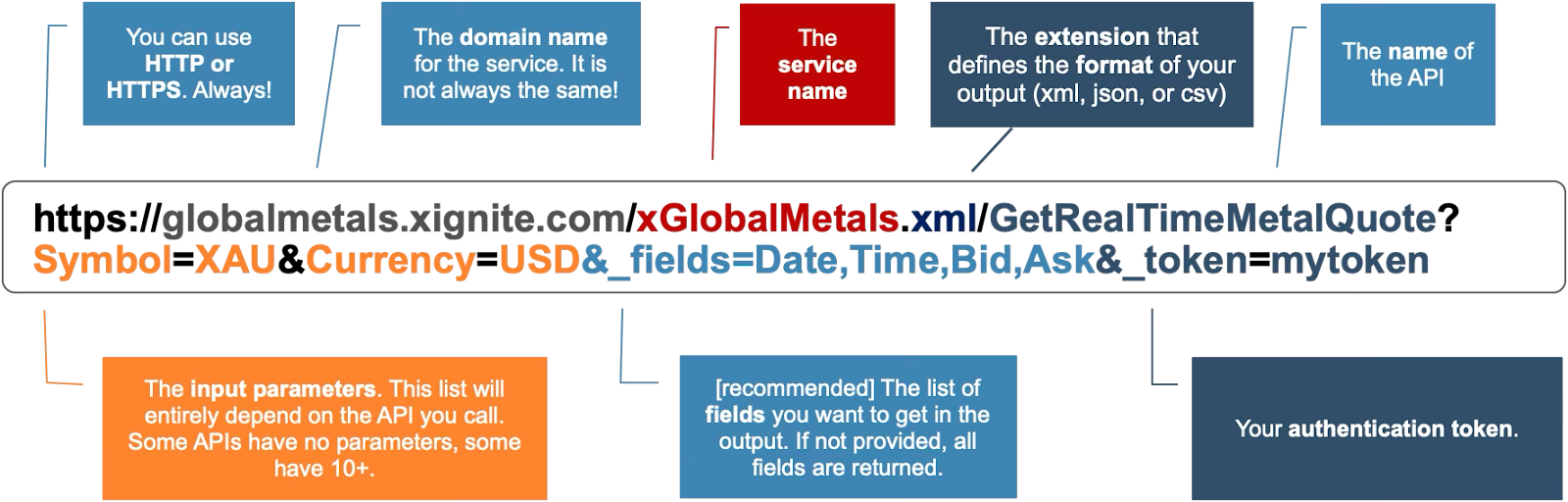
- The maximum length of an URL is 2083 characters.
- The more data that is requested for a single call, the greater the length of time it will take to return results, and may timeout. We recommend batching your requests into no more than 200 data points per call. That is the same as 200 day date range for a single identifier, or 200 identifiers for a single date range. For a date range, each date is considered a datapoint.
- Add retry logic to handle any timeouts or failed calls.
- When reporting any issues to Support, please include the exact URL, as well as the Outcome and Message returned, when relevant. This will help expedite the troubleshooting process.
The URL
CloudFile Delivery
- Some of our data is available for delivery via .CSV files due to their large size and are generated in the cloud
- You use an API to get the address of the file, then download the file using that address
Attribution
- Attribution is required for most use cases
- Attribution depends on:
- Whether the data is displayed externally or internally
- Type of application (web, mobile)
- Type of data (forex, metals, futures, others)
- For detailed instructions, please visit: https://www.quodd.com/attribution
Getting Support
- Email: support@quodd.com
- Phone: 1-866-537-5518